What this whale tracker shows
Most crypto whale trackers follow wallets on the blockchain: a large transfer moves between two addresses and you get an alert. That tells you that coins moved, but not whether anyone bought or sold.
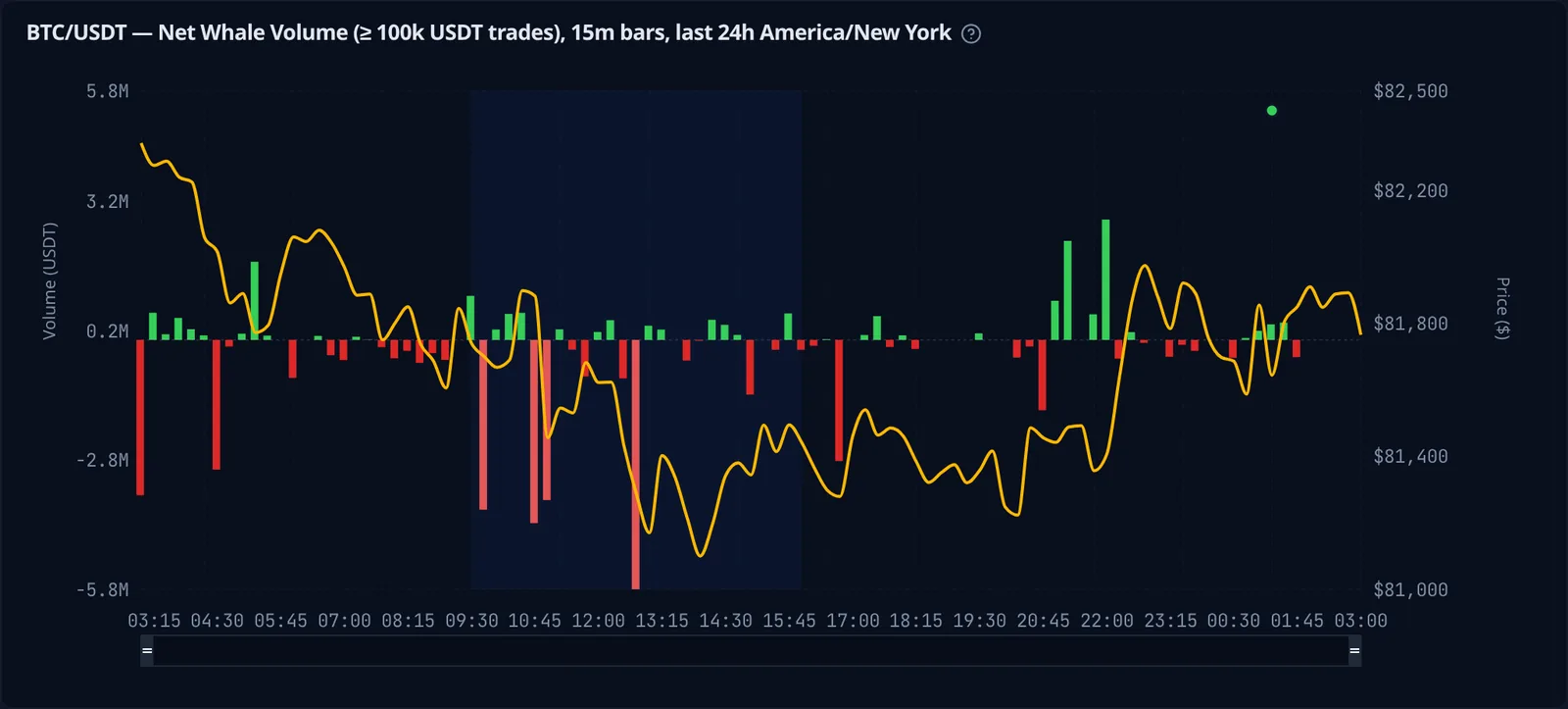
FlowGlow works on the exchange instead. It reads the live trade stream for BTC/USDT and ETH/USDT, sorts each trade by its size in USDT, and adds up buys and sells for every bar. The result is two charts you can compare at a glance:
- Net whale volume: buy volume minus sell volume from large trades.
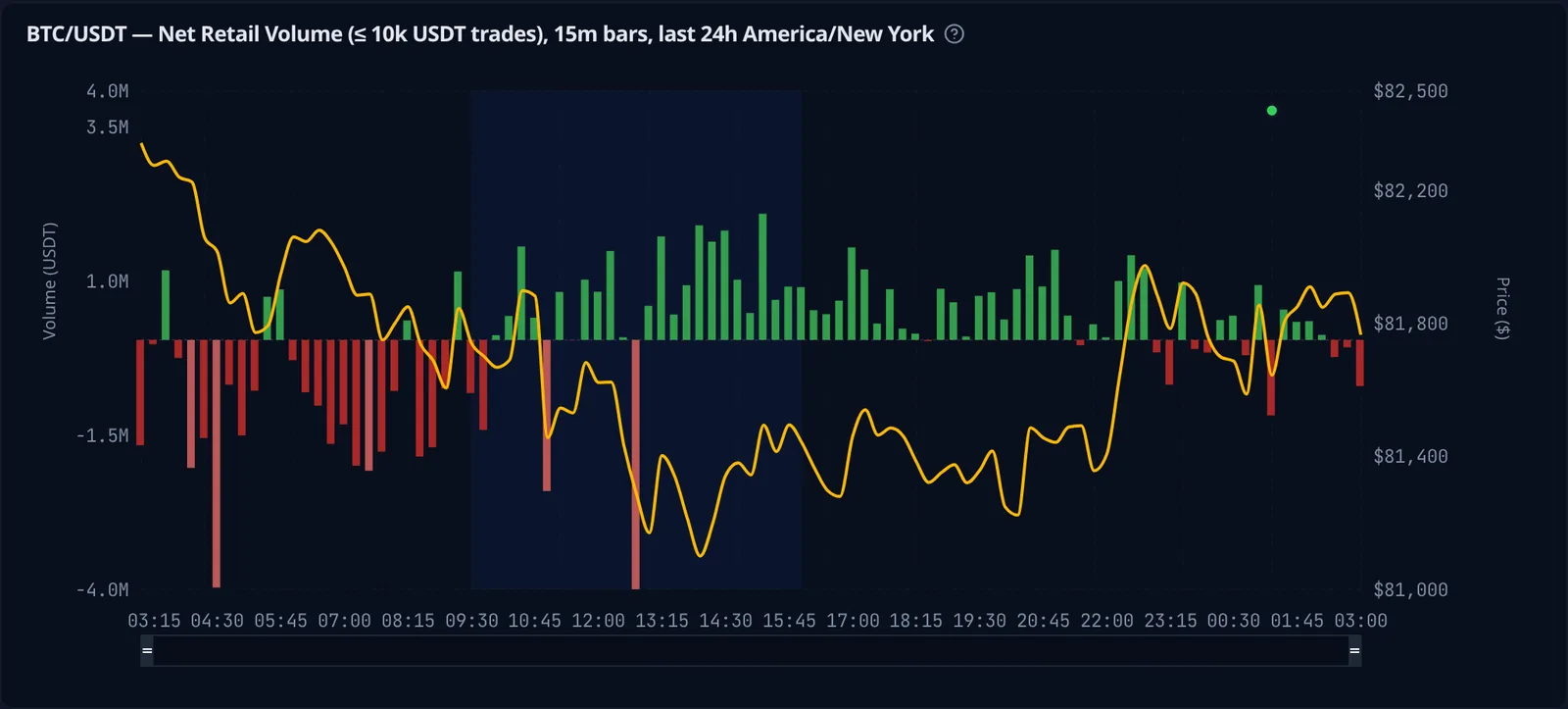
- Net retail volume: the same for small trades.
Both charts carry the price line, so you can see whether a move was driven by big money or by the crowd, and when the two disagree.
How trades are classified
Every trade lands in one of three groups by its notional size:
| Group | Default trade size |
|---|---|
| Whale | 100,000 USDT and above |
| Mid | 10,000 – 100,000 USDT |
| Retail | up to 10,000 USDT |
These are starting points, not fixed rules. Each chart has its own size range slider, so you can set whales at 500k USDT, or look only at mid-size trades, and the chart redraws right away.
Reading whale vs retail charts
The retail chart below covers the same 24 hours of BTC/USDT as the whale chart above. Compare them: during the US session, whales kept selling into the drop while small traders kept buying it. When the two groups pull in opposite directions like that, FlowGlow can highlight the divergence on the chart.
A few things to look for:
- Clusters of large bars. One big bar can be a single order. Several in a row in the same direction mean steady buying or selling.
- Flow against price. Whales buying while the price still falls can mean someone is absorbing the selling. Whales selling into a rally is the opposite.
- Trading sessions. The shaded band marks the US session (9:30 to 16:00 New York time). You can switch on the Europe and Asia sessions too, to see which hours the large trades come from.
Cumulative whale flow
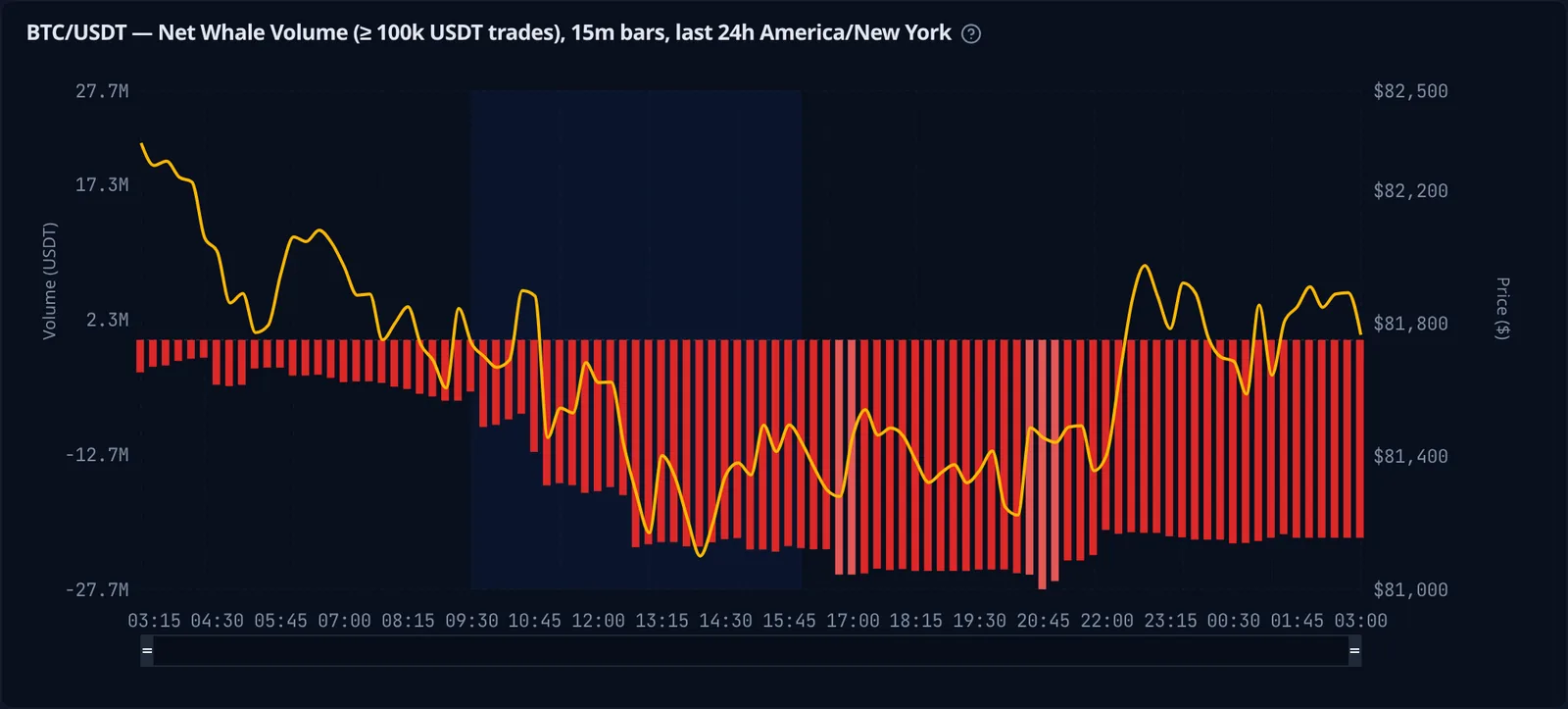
Bar-by-bar volume is noisy. Switch on Cumulative and each chart shows the running total instead, a cumulative volume delta for whales and for retail. A line of bars that keeps going down means whales have been net sellers for the whole period, even if single bars looked small. For more on reading cumulative delta, see crypto order flow, explained with whale vs retail trades.
Ethereum whale tracking
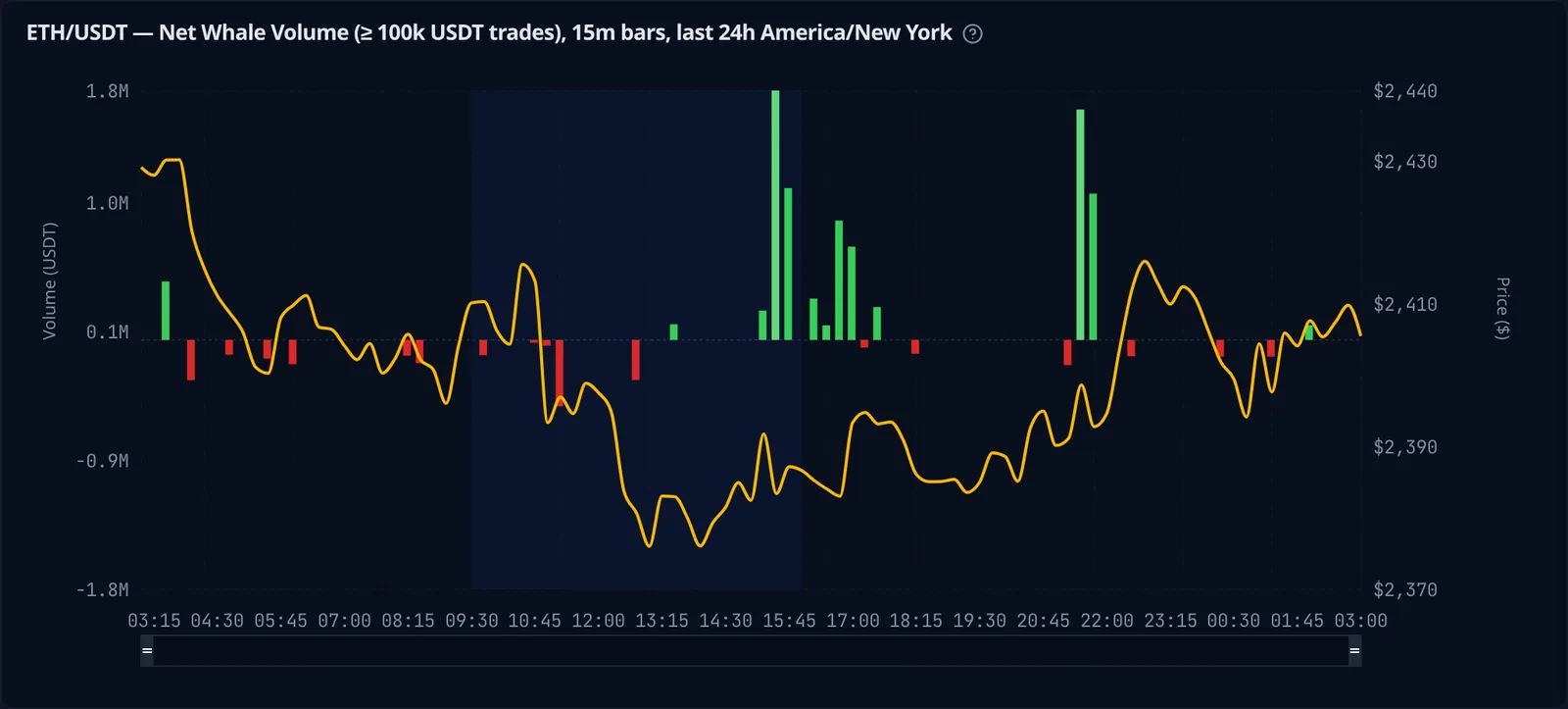
Everything above works the same for ETH/USDT. Pick the symbol in the settings panel and both charts switch over, with the same size groups and sessions.
What you get for free
- Whale, mid and retail flow for BTC/USDT and ETH/USDT spot
- 15-minute and longer bars, refreshed while you watch
- Adjustable trade size thresholds for each chart
- Cumulative mode, divergence highlight and trading session overlays
- PNG and CSV export of the charts